HumaRun is loading.
Skip to content

Every working hour, easier to account for.

Clock the workday, plan shifts and review timesheets in one place. The recorded time is what counts, and every correction keeps the original in the history.

All modules
Team timesheetsWeek 24 · illustrativeIllustrative
  1. Maya Hart40h scheduled · 40h workedApproved
  2. Daniel OrtizOvertime above scheduleException
  3. Priya NairCorrection requested for TuesdayPending
  4. Sam OkaforEvening shift · on scheduleApproved

History kept for every correction

A clear record of the working week.

Recorded once, corrected openly, reviewed before payroll.

  • A workday clock

    Employees clock in, record breaks and clock out. The time is taken by HumaRun, not by the device in their hand, so the record stands as it happened.

  • Schedules and rotations

    Plan shifts and repeating rotations for each worksite, offer open shifts and handle swaps. Clashes are flagged, never silently dropped.

  • Corrections with history

    Missing or wrong time, such as a forgotten clock-out, is fixed through a request that a manager decides. The clock never invents hours, and the original entry stays in the history.

  • Overtime and break rules

    Set break, overtime and rounding rules for each worksite from the date they apply. Overtime counts against the real scheduled shift, not a fixed eight hours.

From the clock to the timesheet.

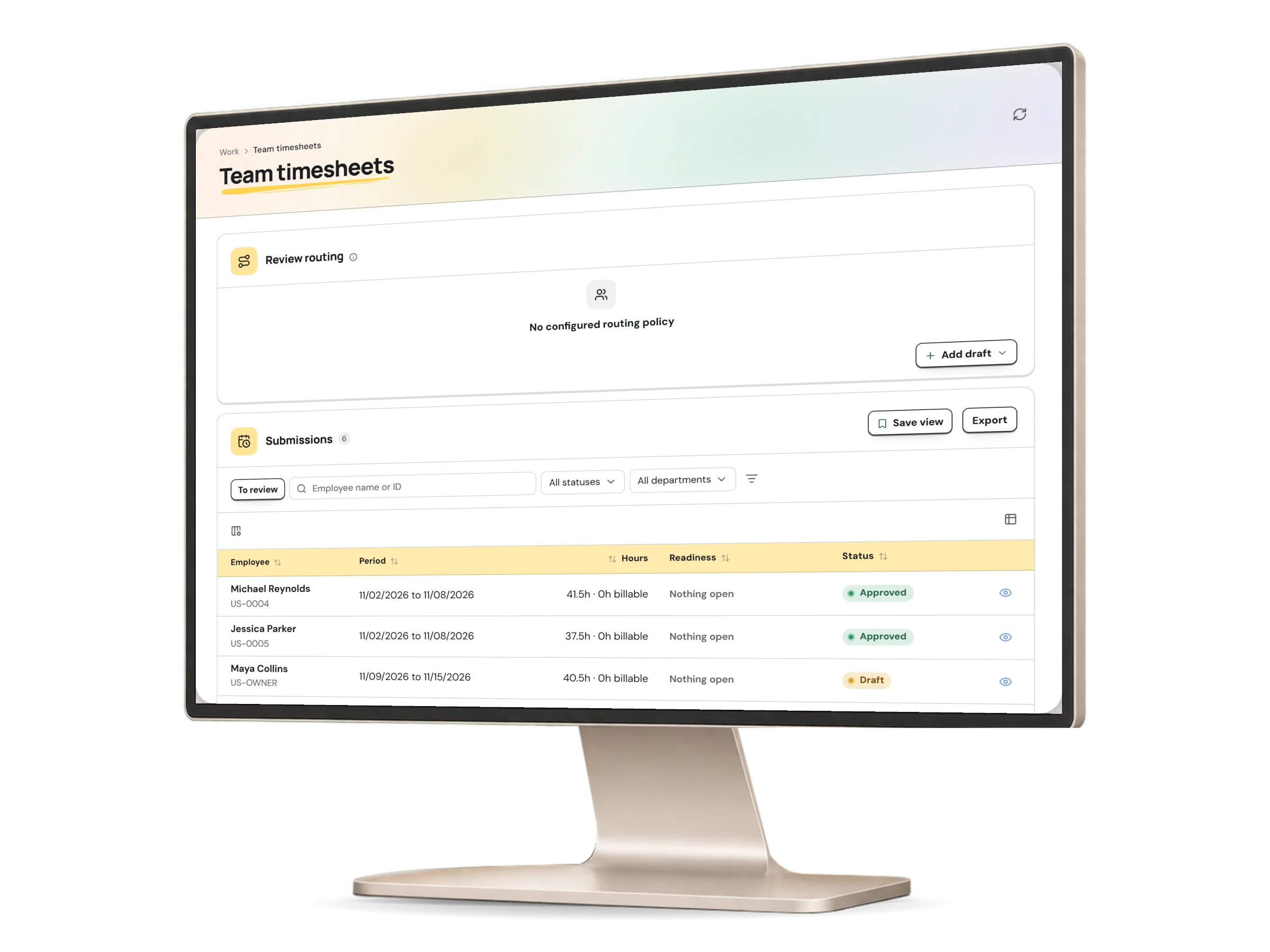
Managers see scheduled and worked hours, with overtime, exceptions and corrections marked. They approve or return each timesheet, and reopening an approved one needs a reason.

Team timesheets in HumaRun: each person's scheduled and worked hours for the week, with overtime and exceptions marked, with invented sample data.
A real HumaRun screen, shown with invented sample data.

The path of every hour.

Each step has an owner and leaves a record.

  1. Record

    Clock-in, breaks and clock-out are saved as they happen, against the right employment and worksite.

  2. Compare

    Worked time is checked against the schedule and the rules in force that day. Any difference becomes an item to review.

  3. Decide

    A manager decides corrections, overtime and exceptions, then approves the timesheet or returns it.

  4. Hand over

    Approved hours and overtime go to payroll as inputs. Anything still pending holds them back.

What this module covers.

What works today, and the controls that come with it.

Included

  • Workday clock with breaks, and corrections that keep the original
  • Shift scheduling, rotations, open shifts and swaps
  • Overtime, break and rounding rules, with exceptions reconciled
  • Timesheet routing to managers, time supervisors and payroll reviewers, together or in stages, with an optional backup for each
  • Optional location, QR code or worksite PIN check at each worksite, added to the punch as evidence
  • Worksite location policies that allow, flag or block a punch outside the fence, with an accuracy limit
  • Shared kiosks paired to a worksite, where people punch with a badge or with their number and PIN
  • Work-from-home, on-duty and field-work requests, each decided by another person
  • Weekly overtime thresholds, and reminders your organization switches on before a shift or after a missed clock-out
  • Shift swaps with a named colleague, who accepts first
  • Punches from a device that can export a punch file or call HumaRun's push receiver
  • Your own minimum-rest and shift skill rules, which flag a conflict for a manager to decide
  • Standby duty and call-outs, with an approved call-out as the evidence for its overtime
  • Payable minutes from your break and rounding rules, and timesheet periods your organization sets
  • Missing-time and correction requests routed to the person's attendance supervisor or HR contact
  • A web app that runs in phone browsers and can be added to the home screen

Controls built in

  • The time of each punch is taken by HumaRun, not by the device in a person's hand
  • Corrections decided by a manager, with the original entry kept in the history
  • Manager timesheet review, reopened only with a stated reason
  • Time still waiting for a decision holds its payroll inputs back until it is settled
  • A location is read only at the punch, after the person agrees, and no coordinates are kept
  • Punches sent by a time clock are held for a supervisor to accept before they count