HumaRun is loading.
Skip to content

Everyday HR, in people's hands.

Employees find their own records and documents and follow every request to its answer, while managers decide the ones their role allows.

All modules
Your requestsRequest center · illustrative
Illustrative
  1. PendingProfile changeNew phone number · with your approver
  2. Changes requestedLeave3–4 June · dates to check again
  3. ApprovedAttendance correctionTuesday clock-out
  4. PendingOvertimeSaturday · 2 hours
Status and current approver for every request

Fewer questions for HR to answer.

People find their own details and follow their own requests.

  • My record and documents

    Employees see their own profile, employment history and documents, upload their own files and acknowledge new versions when asked, and nothing of anyone else's.

  • Requests, followed through

    Employees ask for leave, time corrections, overtime and profile changes, and can withdraw a request while it still waits. A profile change applies only once an approver accepts it.

  • Manager decisions

    Managers decide their team's requests in one Decision Inbox, approve routine ones together and hand their approvals to a colleague while away. A team dashboard shows hours, expiring documents and dates ahead.

  • Colleagues, found

    A colleague directory shows the name each person goes by, with their job, department, location and manager. Personal contact, pay and HR details stay out of view, and colleagues never see the legal name behind a chosen name.

Follow every request to its answer.

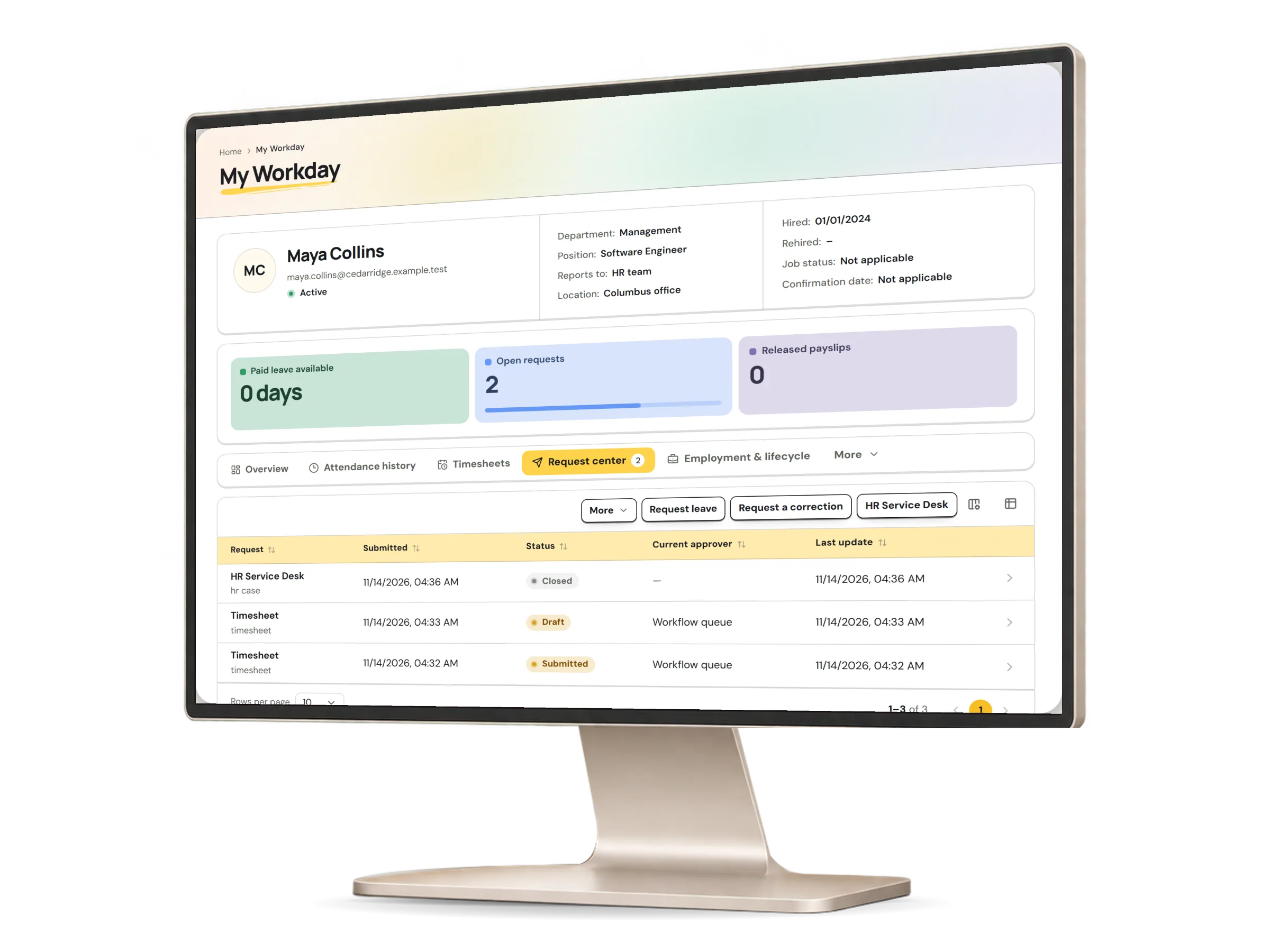
The request center lists every request an employee has sent, with its status and who it is waiting on. Open one to see its history, or withdraw it while it still waits; each type keeps its own approval route.

The request center in HumaRun: an employee's requests with their status and who each one is waiting on, with invented sample data.
A real HumaRun screen, shown with invented sample data.

What self-service includes.

What works today, and the controls that come with it.

Included

  • Own profile, employment history and documents: upload, open and acknowledge
  • Leave, attendance correction, overtime and profile-change requests
  • One request center with each request's status, history and current approver, and a withdraw while it still waits
  • A team dashboard for managers: hours against the schedule, expiring documents, probation and contract end dates, and who left the team
  • One Decision Inbox, where routine leave, time-correction, overtime and timesheet requests can be approved together, up to 25 at a time
  • Out-of-office cover: approvers hand the approvals assigned to them to a colleague with the same authority, for set dates
  • A Ctrl/Cmd+K command palette to open a page, find a colleague your role may see or start a request you confirm
  • A web app that runs in phone and computer browsers and can be added to the home screen
  • Me Pay: your own payslips once your organization releases them, with a second person approving each release, each with its payment status and what changed since the last one
  • Changing one's own bank or tax details from Me Pay, with an IBAN check and a fresh second factor where the person uses one; another person approves, unless the policy lets that factor confirm a bank change
  • Directory choices: each person can hide their work email or photo, and the organization sets who sees whom
  • Profile photos in the directory and on the organization chart
  • Before their first day, a new hire sees only their buddy, first-day contact and manager in the directory
  • Username sign-in for staff without email, with a one-time activation code HR hands over in person or on a printed slip
  • Bulk approve or reject across request types, with a reason, time limits and escalation
  • Web push notifications on phones and computers, which stop for a browser when you sign out there or someone else turns them on in it
  • Notification email, with daily or weekly digests and quiet hours, beside the alerts in the app
  • Save-and-continue drafts of longer forms, across a refresh or a new sign-in
  • Saved themes and arrangements of each person's workspace
  • In-app notifications, with each person's own preferences

Controls built in

  • Each person sees only their own record, documents and released payslips
  • A profile change applies only once an approver accepts it
  • Manager approvals for their own team only, with comments and history
  • A colleague directory where colleagues see the name each person goes by, never the legal name behind it
  • Bank and tax details entered by HR, decided by a second person, who confirms with a fresh second factor where they use one