HumaRun is loading.
Skip to content

Every employee record. Always in context.

Set up your organization, keep every employee's details and employment history on one record, and give each person the view their role allows.

All modules
Employment historyOne record, every change dated
Illustrative
  1. Effective 1 FebJoined the organizationEmployee record created
  2. Effective 1 JunDepartment moveOperations to People
  3. Effective 15 AugManager changeReports to a new manager
  4. Effective 1 NovWorksite changeHead office to remote
Effective-dated, with accountable history

Structure people can trust. Before work begins.

Give every employee record a clear place to belong.

  • Organization structure

    Set up legal entities, branches, worksites and departments, so every employee belongs to a clear place.

  • Employee profiles

    Keep personal and contact details, job information and documents on one record. Employees can ask to update their own details.

  • Employment history

    Keep dated transfers, promotions, manager and contract changes, termination and rehire tied to the same person without erasing earlier employment.

  • Reporting lines

    Set each employee's manager, so team views and approvals follow the real reporting line. The organization chart shows that line on a date you choose.

See what changed. And why it matters.

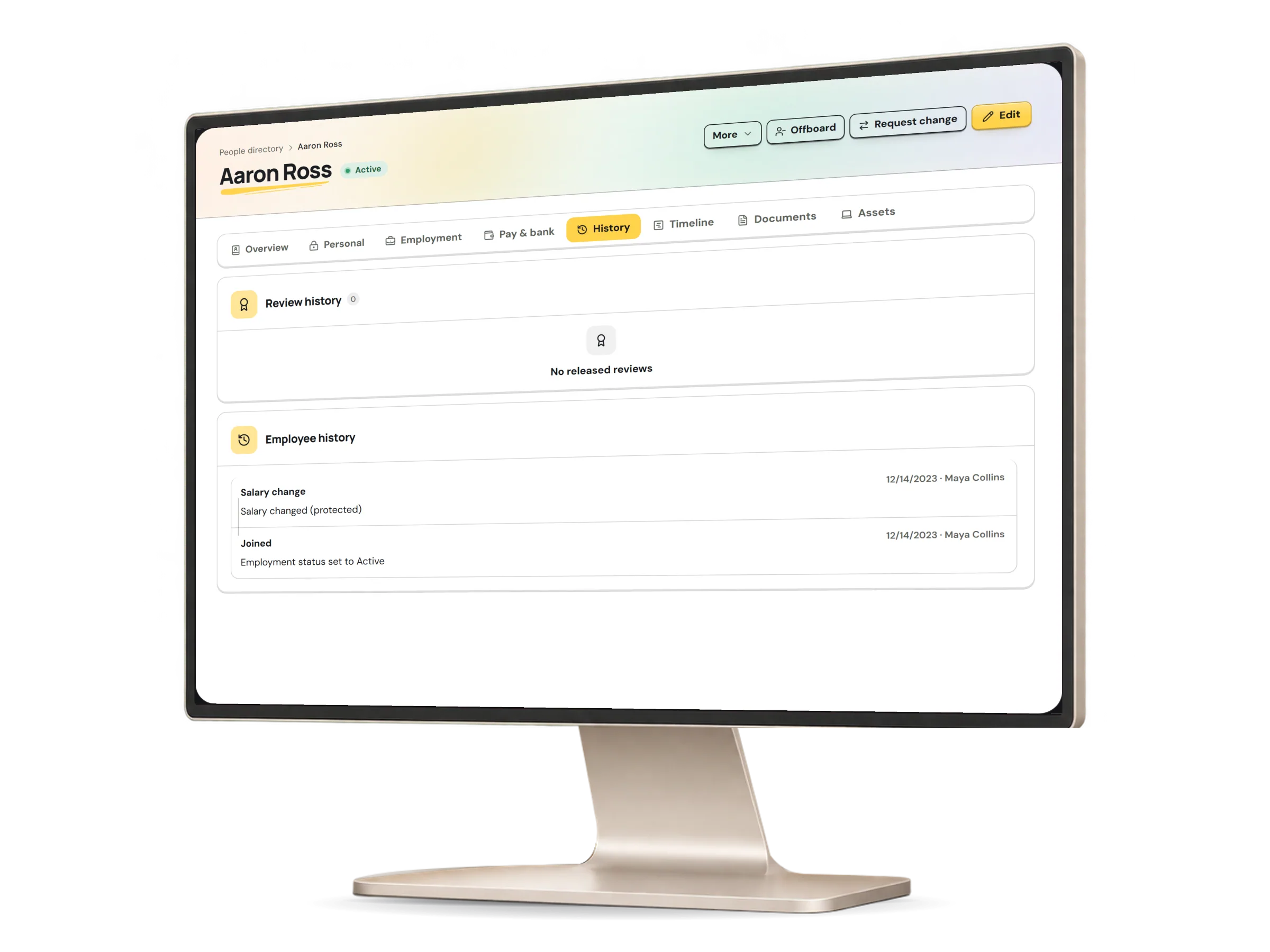
Record each change with the date it takes effect. Earlier details stay in the history with who made the change, and the employee timeline shows it beside the leave, documents and assets each viewer may see.

An employee record in HumaRun on its History tab: dated changes to the employment, each with who made it, with invented sample data.
A real HumaRun screen, shown with invented sample data.

The right view. For the right person.

Everyone works from the same employee record, but each person sees only what their role allows. Restricted details, such as HR notes, need a permission of their own.

One employee recordWhat each role may do with it
Illustrative
What an employee, a manager and an administrator may do with one employee record
EmployeeOwn recordManagerDirect reportsAdministratorOrganization
See contact and job detailsAllowedAllowedAllowed
See employment historyAllowedAllowedAllowed
Change the recordBy requestNot allowedAllowed
See restricted HR notesNot allowedNot allowedNeeds its own permission
AllowedBy requestNeeds its own permissionNot allowed

What Core HR covers today.

What works today, and the controls that come with it.

Included

  • Legal entities, branches, worksites and departments, with every employee placed in them
  • Employee records with dated employment history, termination and rehire
  • Bulk edits of placement fields for up to 200 people, with a preview of every change
  • An organization chart of each reporting line and job on a date you choose
  • An asset inventory: assign equipment, record its return and retire it
  • A dated HR contact and attendance supervisor for each employee
  • Custom fields on employee and employment records, with sensitive values sealed
  • Automatic employee numbers, and termination reasons with a rehire eligibility flag
  • Probation and contract-end alerts, and celebrations with a birthday shown only when the person shares it
  • Dependants on the employee record, with given, middle and family names and their history kept
  • Asset custody the employee acknowledges, with condition evidence and the conditions for its return
  • A kept record of each bulk edit, person by person
  • Dotted reporting lines, such as matrix and project managers, on the chart
  • Profile photos on the organization chart
  • Probation and contract-end alerts by email as well as in the app

Controls built in

  • Change requests from employees, applied only once someone else approves them
  • Every change dated and kept in the history, with who made it
  • An employee timeline, each part shown only to people allowed to see it
  • Restricted details, such as HR notes, open only with a permission of their own
  • Contracted hours on each employment, dated and approved by another person
  • Reopening an employment that was ended by mistake, once another person approves; someone who really left is rehired instead
  • Your own lifecycle policy: who may request each change, who approves it, when a second approval is needed and who may stand in for set dates