Grounded help
Answers from approved HumaRun guidance and your published policies, with citations.
People operations and payroll for growing businesses and distributed teams across regions. Bring employee records, time, leave, approvals, and payroll runs into one clear operational flow.
A role and a start date open the record.
Hours worked land on the same record.
Approved leave is marked on it too.
The payslip reads what is already there.
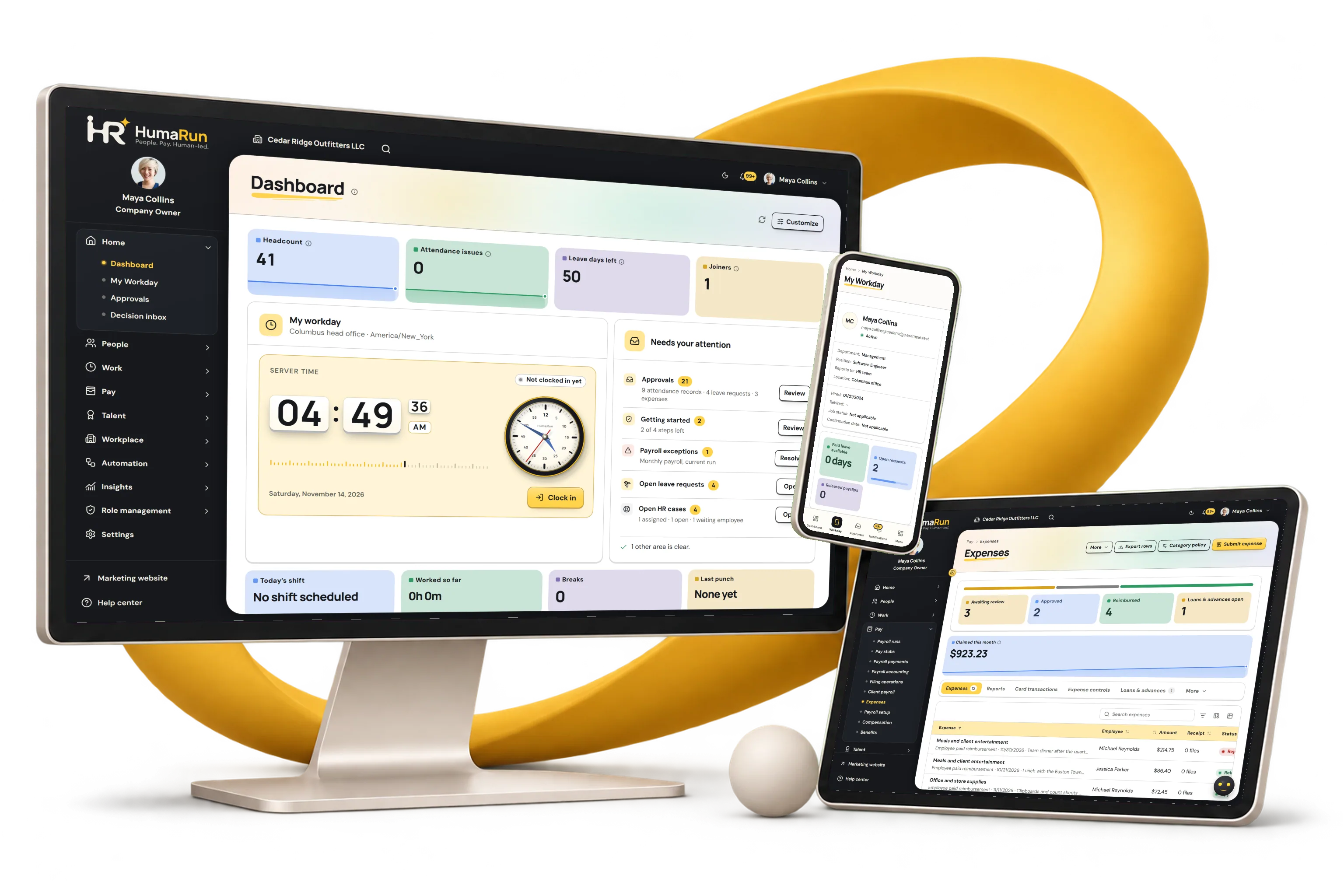
Real product screens, shown with invented sample data.
Keep every employee's record, employment history and documents in one place, from joining to leaving, with each change dated and kept.
Let employees see their records and documents, and payslips once your organization releases them, and send requests, while managers approve them on any screen.
Keep employee documents and letters in one governed record, with the right access and renewal dates in view.
Give employee HR requests an owner, priority and visible progress, with confidential handling where needed.
Record working time, schedules and overtime, correct mistakes safely, and let managers review timesheets before payroll.
Set leave policies and balances, send requests through approvals with the team calendar in view, and follow up HR cases.
Connect project and client allocations with approved worklogs, billable time and workload views.
Bring claims, receipts, mileage, card transactions, travel and loan records into one reviewed workflow.
Run each pay cycle from saved pay details and recorded time, check the variances, approve it, and release payslips, bank payment files and journals.
Keep effective-dated pay changes and their payroll review context together.
Bring benefit plans, enrollment with an independent decision and recorded reward context together.
Run openings, consented candidates, structured interviews and offers through one hiring workflow, with people making every decision.
Connect goals, check-ins, human-led reviews and development actions, with ratings entered by people.
Assign courses, track completion and certificates, and keep renewals in view.
Connect validated skills and career interests with internal opportunities and human-reviewed development.
Plan continuity for critical roles with scoped access, readiness and evidence, decided by people.
Bring announcements, pulse surveys, recognition and acknowledgements together, with anonymous results protected.
Coordinate joining and leaving tasks with named owners, documents and preserved employment history.
Message colleagues one to one, in groups and in channels, and meet by voice or video, with history your organization controls.
Review workforce, attendance and payroll reports, build your own with joins and pivots, and export them with role-scoped access.
Import setup data, connect single sign-on and SCIM, read and send data through the public API and signed webhooks, and export accounting files.
Protect each organization with scoped permissions, sensitive-field controls, sign-in protection and an audit trail.
Plan headcount and budget by department and period, and rehearse a change before anyone makes it.
Rules-based HumaRun help answers from approved knowledge and your policies, suggests next steps your company switches on, drafts from approved templates and prepares requests that wait for your confirmation.
Track leads, contacts, companies and deals with activities and reminders, beside your people records.
Start with your employee foundation, then plan payroll, attendance, and approval workflows around the way your company actually operates.
Bring employee changes, policies, and manager responsibilities into one shared model, with Core HR, Self-service, Recruitment, Performance and Learning.
Run payroll from approved employee changes, time records, and exceptions, with the evidence a reviewer needs before anything is finalized.
Plan for multiple locations, different schedules, and a responsive employee experience that travels with your team.
Put the important details in the same picture.
HumaRun assistance is deterministic: rules, approved knowledge and your permissions. No external AI model is used, and every action waits for your confirmation.
Answers from approved HumaRun guidance and your published policies, with citations.
Next steps found by your company's own checks, and drafts from approved templates you review before sending.
Clocking in or out, opening an HR case or deciding one request waits for your confirmation.
People decide: HumaRun makes no hiring, pay, performance or employment decision.
Each connection is checked before anything is sent or received.
People and setup data from CSV or Excel, checked before anything is saved. Background import with undo works today.
A public API reads people, leave, attendance and structure and accepts business events, with an OpenAPI document. Payroll journal files laid out for import into Xero, QuickBooks Online and Sage (not verified by those vendors) work today.
A time clock that can export a punch file or call HumaRun's push receiver can send its punches.
Notification email and a private time-off calendar feed work today.
Every module has a page explaining what it does and the controls that come with it.
Know what to expect before you start.
Choose Start free trial, create an account and set up your company; no card is needed. To see HumaRun first, choose Book a demo, share a few details about your team, choose the areas you want to discuss, select a preferred weekday and time, and review your request. A saved reference confirms the request was recorded.
Open Log in and choose Create an account, or follow Continue to account setup on a plan. There are three short steps: your name, work email and a password of 15–128 characters (spaces are allowed, and the page can suggest a strong one); your company, country, team size, preferred language and timezone, with phone and website optional; then your agreement to the Terms of Use and the Privacy notice. You can also choose Continue with Google: your name and verified email are filled in and no password is needed. With a password, a confirmation link is sent to your email, and your workspace opens once you confirm it. Creating an account without choosing a plan starts the 30-day trial; it never starts a payment by itself.
Every module has an information page. Available: Core HR, Payroll, Time & attendance, Leave, Employee self-service, Reports & analytics, Integrations, Recruitment, Performance, Learning, Expenses, HumaRun assistance, Documents, HR Service Desk, Projects & worklogs, Compensation, Benefits & total rewards, Skills & careers, Succession, Engagement & communications, Onboarding & offboarding, Security, Workforce planning & rehearsal, Company Chat, Customer relationship management. Each page explains what the module does and the controls that come with it.
The Pricing page shows USD prices for Essential, Business and Complete, with monthly, six-month and yearly choices. Each base price includes up to 10 active workers; additional-worker charges and any applicable tax are shown separately. Choosing a paid plan passes that choice into account setup. Paid plans are bought through Polar, the merchant of record, which takes the payment and handles sales tax. The 30-day trial is free and needs no card. The CRM is included in the Complete plan.
Yes. The 30-day trial is card-free and includes up to 10 active workers and every module in the plans, except the CRM, which comes with the Complete plan. Create an account without choosing a plan to start it; it opens automatically after sign-up, once your email is confirmed where that is required.
Let’s start with what your team needs most.