HumaRun is loading.
Skip to content

Payroll you can review with confidence.

Run each pay cycle from dated pay terms and approved inputs, check the variances before approval, and produce payslips, bank payment files and accounting journals.

Payroll runJune · monthly run
Illustrative
  1. Inputs reconciledTime, leave and pay changes approvedReady
  2. CalculationPay items, earnings and deductionsDraft
  3. Variance checksCompared with the last finalized runReview
  4. Proof reviewedNumbers traced to their inputsReviewed
Statements finalizedPay statements and proof, finalized togetherFinal

Finalized once, with the proof kept

All modules

Every pay run, built on approved inputs.

A run uses only approved records, checked at every stage.

  • Compensation with history

    Pay structures and components carry the date they take effect, so each period uses the terms that applied to it.

  • Approved inputs

    Approved time, overtime, leave and pay adjustments come into the run. Anything still waiting for approval is flagged, not guessed.

  • Pay items and tax rules

    Income tax and social contribution rules are built country by country and are switched on one country at a time after review. Until then a pay run calculates pay from the pay items you configure and marks every payslip and export as non-statutory. Proration, a salary change inside the period and approved exchange rates stay tied to that period.

  • Variance checks and approval

    Each run is compared with the last finalized run of its pay group, and any amount that moves by more than your threshold is flagged. A run is reviewed and approved by people before it is finalized.

See how a run comes together.

Every stage is recorded. The numbers on a statement trace back to their inputs.

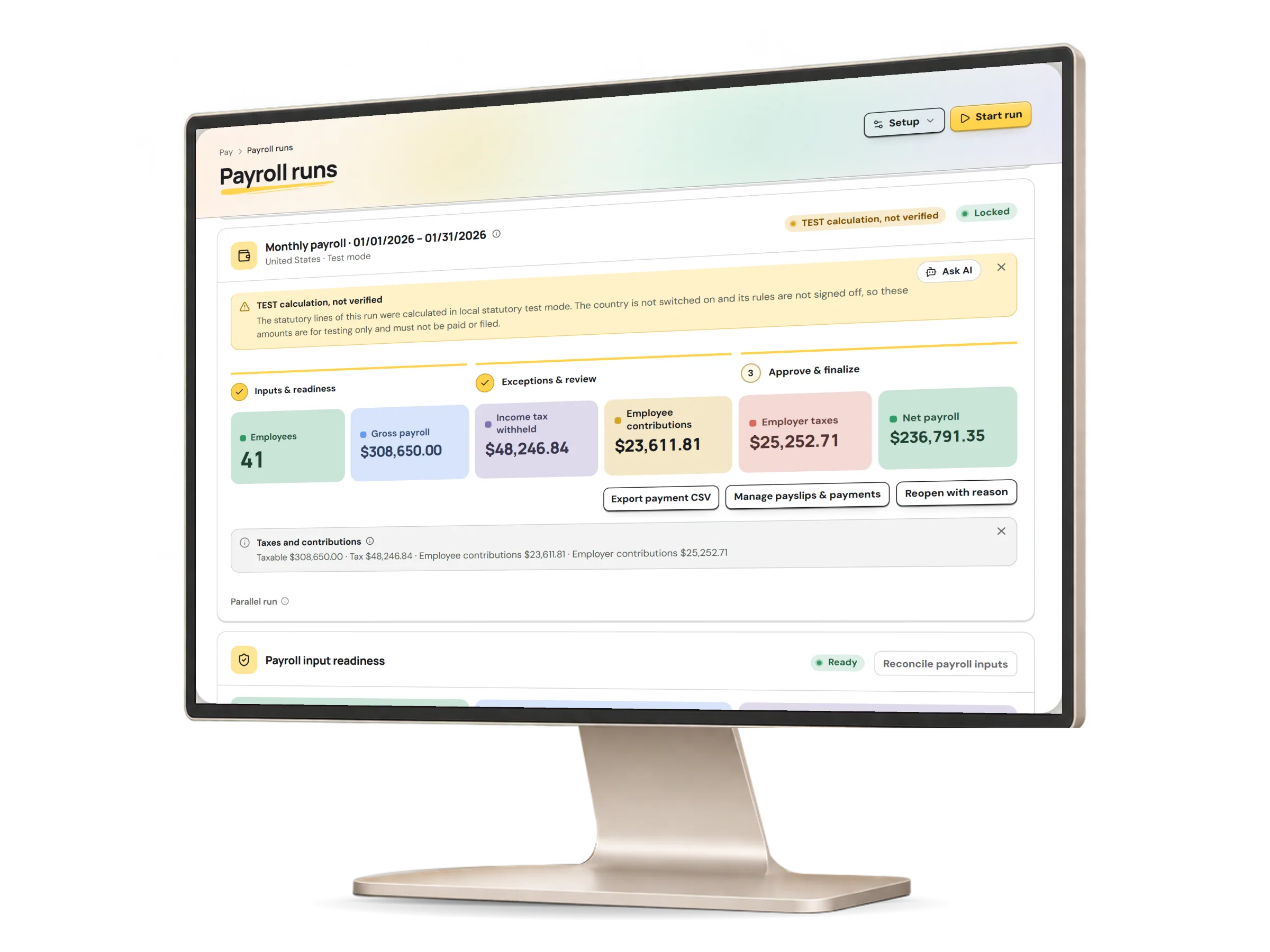
A payroll run in HumaRun: its stages from inputs to approval, the employee count, gross and net totals and open errors, with invented sample data.
A real HumaRun screen, shown with invented sample data.

Pay your people, then account for it.

Payslips, bank files and journals come from the finalized run.

  • Payslips for employees

    Finalized payslips are released to employees in self-service once a second person approves the release, never from a voided run. Each one lists its earnings and deductions with the year to date.

  • Bank payment files

    A finalized run gives a payment batch with a bank payment file, approved by someone other than the person who prepared it; where nobody else can approve, the sole approver’s decision is recorded. Each batch is built in the layout for its paying country and currency where a layout is available, from paying-account details kept in dated versions; any other batch gets a CSV payment worksheet. Your organization sends the payment to its own bank.

  • Accounting journals

    Each finalized run gives an accounting journal that is reviewed by someone other than its generator before export, can be reversed and uses the account mappings in force on its date. Export it as a CSV laid out for the import screen of Xero, QuickBooks Online or Sage, or as a generic CSV, and post it in your accounting system.

  • Settlements and other payments

    A final settlement run covers the last pay of someone who leaves. Pay can be split across accounts, and contractor payments are decided by someone other than the person who submitted them.

What payroll covers and how it is controlled.

What works today, and the controls that come with it.

Controls built in

  • A fresh multi-factor check, for anyone who signs in that way, before approving a payment batch or a contractor payment and before exporting the payroll register, a bank file or a journal
  • A payment batch with a bank file, approved by someone other than the person who prepared it (where nobody else can approve, the sole approver’s decision is recorded), and marked paid by a person with the bank reference and evidence
  • Contractor payments approved by someone other than the person who submitted them or added the payee's bank details; where nobody else can approve, the sole approver’s decision is recorded
  • Void after finalization, requested and approved by two different people, and never once the run's payroll year is closed
  • Each period of a parallel run reconciled by a second payroll reviewer where your organization has one, and the end of the parallel run confirmed by the organization owner
  • Building or downloading a bank file needs a fresh multi-factor check for anyone who signs in that way, and HumaRun sends nothing to a bank
  • Your organization sends each bank payment file to its own bank