HumaRun is loading.
Skip to content
Integrations

Connected work, with every status in view.

Import your data, connect your own systems through a public API and signed webhooks, and link HumaRun to the tools your teams already use.

All modules
Provider connectionsConcept · sample statuses
Illustrative
  1. Outbound webhooksSigned and recorded · every delivery in a historyLive
  2. Slack and Teams channelsA fixed sentence and a link · no personal dataLive
  3. Microsoft 365 and Google WorkspaceCRM mailbox and calendar sync · busy times onlyLive
  4. Zoom meeting linksCreated on the host's own Zoom accountLive
Live only after a real provider passes its check

Built to be trusted, before it is connected.

Imports, the API, webhooks and rules need no outside provider.

CSV and Excel imports

Bring in people, structure, worksites and invitations from a CSV file or an Excel workbook, and time entries from CSV. Every row is shown with its errors and possible duplicates before anything is saved.

A public API

Your own systems read people, leave, attendance and structure, and send business events that can start your company rules. Credentials are scoped, expire and are shown only once, and an OpenAPI document describes every endpoint.

Signed webhooks

Subscribe to 31 business events across people, time, payroll, documents and recruitment, with every delivery signed and kept in a history.

Rules, reminders and notifications

Approved rules create onboarding tasks or in-app notifications when an event happens, and opt-in reminders chase missing time. People are notified in the app with their own preferences and quiet hours, and no rule approves or decides.

Each connection says what it really is.

Every outside connection shows its real status and goes live only after its check passes. Built-in imports and in-app notifications need no connection.
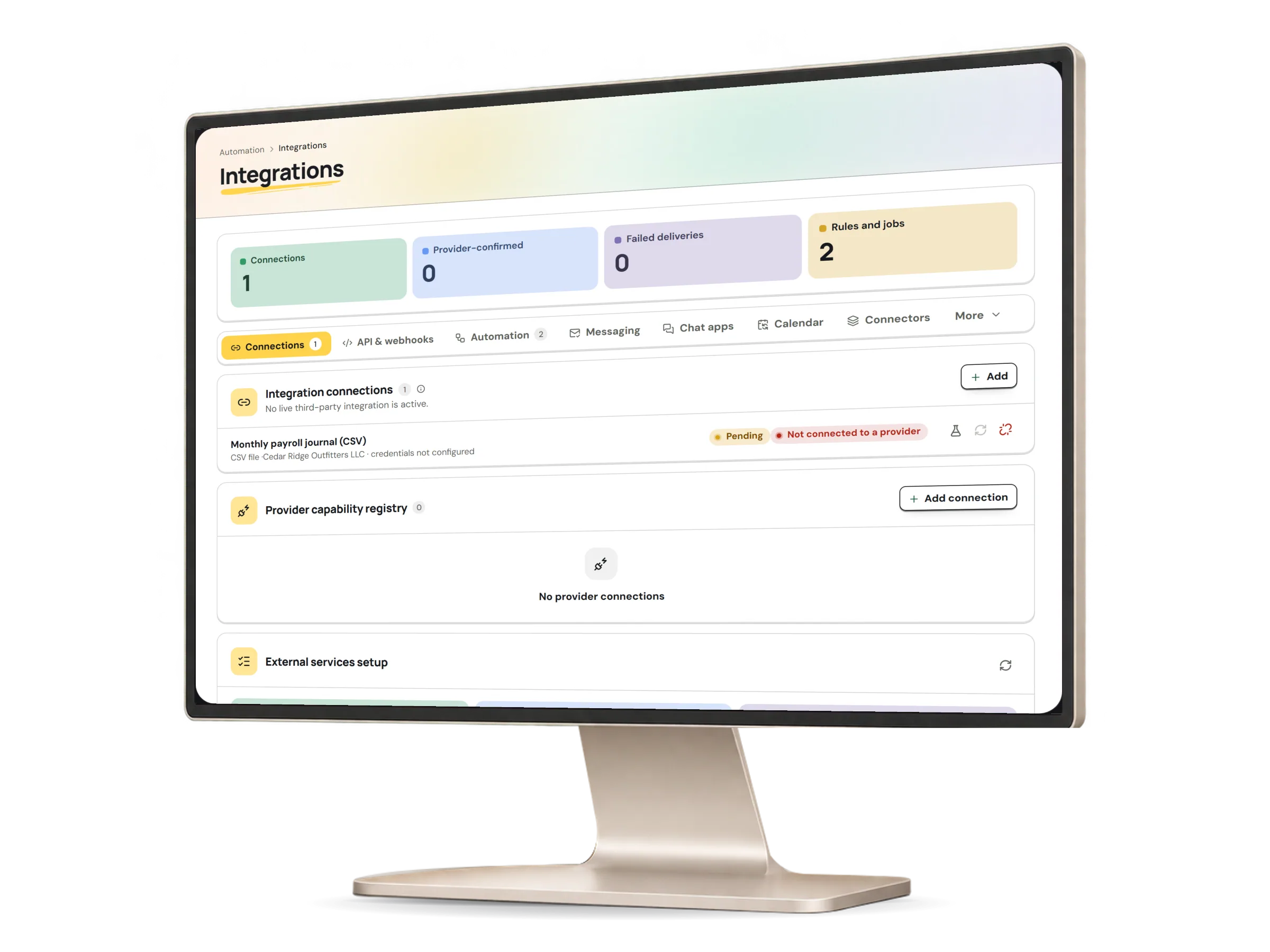
Integrations in HumaRun: each outside connection with its real status, with invented sample data.
A real HumaRun screen, shown with invented sample data.

Nothing runs until it is verified.

This applies to outside providers, not built-in features.

  1. Configure

    An administrator with integration access picks the provider, its environment and a stored credential reference.

  2. Verify

    A health check runs, and only a passing check lets the connection go live.

  3. Run

    Messages and jobs then go through it with retries. Failures are shown and can be retried, with a reason.

  4. Fall back

    If a provider is down, an administrator can record a manual fallback instead, with a reason.

What is live and what keeps it safe.

What works today, and the controls that come with it.

Included

  • CSV and Excel import of employees, structure, worksites and invitations, and CSV import of time entries
  • A public API that reads people, leave, attendance and structure and accepts business events, with an OpenAPI document
  • Accounting journal files laid out for import into Xero, QuickBooks Online and Sage, or as a generic CSV; not verified by those vendors
  • Single sign-on with SAML 2.0 or OpenID Connect, including Google Workspace and Microsoft Entra ID, with verified domains and SCIM, set up and tested by your administrator; accounts are never created at sign-in
  • Slack channels, and Microsoft Teams channels through Workflows addresses, that receive the events you choose, as a fixed sentence and a link with no personal data
  • A private, one-way feed of your own approved time off for your calendar app
  • Punches from a device that can export a punch file or call HumaRun's push receiver
  • Company rules that raise an approval request for a person to decide, never the person who raised it
  • Background work that runs on a schedule, without an operator starting it
  • Background imports with undo, and scheduled invitations with reminders
  • Email notifications
  • Webhooks and Slack and Teams posts sent over the network, from a production workspace only
  • Continue with Google for sign-in and sign-up
  • Microsoft Teams, Google Meet and Zoom links for meetings, interviews and CRM bookings, created on the host's own account
  • Microsoft 365 and Google Workspace mailbox and calendar sync for the CRM, keeping busy times off booking links
  • Postings you opt in marked up for Google for Jobs on your careers site, and an Indeed job feed of your live postings
  • ANSI X12 834 enrollment files for medical plans, downloaded by your benefits administrator to give to the carrier
  • Card transactions from CSV or OFX/QFX statement files
  • In-app notifications with preferences, quiet hours and expiring links
  • Rules that create onboarding tasks or send notifications on events

Controls built in

  • API credentials that are scoped, expire and are shown once, kept only as a hash, with rate limits per client and per organization
  • Webhook subscriptions to a catalogue of 31 business events, with every delivery signed and recorded
  • Background jobs with retries, failure review and audit history
  • A real status for every outside connection, which goes live only after its check passes
  • Opt-in reminder policies that never approve or decide

Import what you have, then connect with care.

Tell us which systems you use today in a free request.