HumaRun is loading.
Skip to content

Track project time, then see what it earns.

Project and client time on Timesheets, with budgets, profitability per currency and invoice drafts that are never tax invoices.

All modules
Money budgetConcept · sample
Budget
USD 40,000.00Alerts at 80% and 100%
Remaining
USD 15,400.0061% used · used up in 26 days at this pace

Sample figures, not a live screenConcept

From hours worked to an invoice draft.

Everything between logged time and a client's draft.

  • Timers and worklog review

    Start, pause and stop a timer or enter time by hand, and the project's reviewers check each worklog, never their own. A forgotten timer never ends at the current time: its owner states the real end.

  • Budgets and alerts

    Set an hour or money budget for a project, follow it week by week with a straight-line forecast, and alert its reviewers at the percentage you choose.

  • Clients and billing rates

    Keep clients and jobs with dated billing rates for a person, a role, a charge code or the whole project, so time is priced at the rate in force on each work date.

  • Invoice drafts

    Turn one client's approved, billable time into a numbered draft in CSV, Excel or PDF. A draft is never a tax invoice: you send the invoice from your own accounting system.

See a budget burn down, week by week.

A money budget is measured against the billable value of submitted and approved time, at the rate in force on each work date. The project shows the value used week by week, with a straight-line forecast that states its formula.

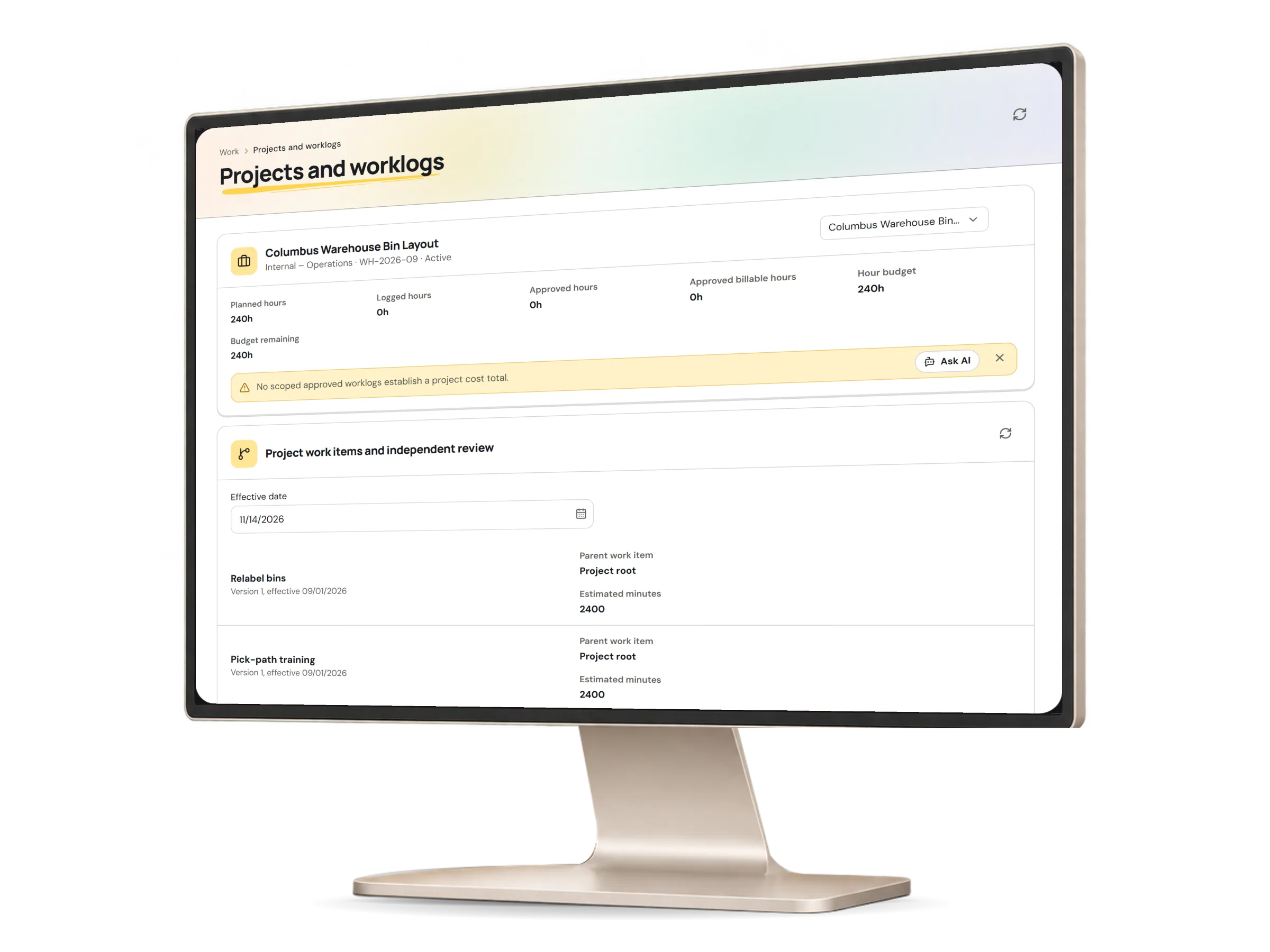
Projects and worklogs in HumaRun: a project budget burning down week by week, with invented sample data.
A real HumaRun screen, shown with invented sample data.

What a project costs, and what it earns.

Amounts stay in their own currency, and drafts stay drafts.

Costs, earnings and drafts

  • Hour budgets for each project that warn, or block new time, once they are used up
  • Money budgets in one currency, measured against the billable value of submitted and approved time at the rate in force on each work date
  • A money budget's burn-down week by week, with a straight-line forecast that shows its formula
  • Budget alerts at the percentage you choose and again at 100 percent, once for each budget version; a money alert names the percentage, never the amount
  • Profitability per project and currency: revenue at billing rates against the finalized payroll cost your organization splits to the project
  • Invoice drafts of one client's uninvoiced, approved and billable time in one currency and range, numbered, with each line at the rate it used
  • Draft files in CSV, Excel or PDF, with a fresh multi-factor check for anyone who signs in that way
  • Draft lines that never change; a draft can be voided once, with a reason, and its time can then be drafted again

Drafts and currencies

  • Every draft file says it is not a tax invoice: a draft adds no tax and no payment terms
  • You finish and send each invoice from your own accounting system, and your clients pay you there
  • Each currency stays separate and is never converted, so revenue and cost in different currencies are shown side by side
  • Profitability counts finalized payroll only

What this module covers.

What works today, and the controls that come with it.

Included

  • Projects with members, planned hours and capacity, and a client name and job reference
  • Project time on each person's Timesheet, by project and task, marked billable or not
  • Logged, approved and approved billable hours for each project
  • Timers you start, pause and stop, and time entered by hand against a task
  • Labor cost on exported worklogs, once a worklog's allocation and costing are both approved
  • A task board of phases, tasks and subtasks, with assignees, estimates, actual hours and progress
  • Charge codes for client and internal work on each worklog
  • Clients and jobs with dated versions, and a billable-time file for one currency at a time
  • Missing-time reminders on your organization's own day that skip each person's days off, holidays and approved full-day leave, and never come on a day the Timesheet-due reminder already did

Controls built in

  • Project time approved with the person's Timesheet
  • An export of approved worklogs with their client, job reference, hours and billable flag, for roles allowed to export costs, with a fresh multi-factor check for anyone who signs in that way
  • Independent review of each worklog by the project's responsible reviewers, never by the person who logged it
  • A forgotten timer that waits for its owner to state the real end or discard it, instead of ending at the current time
  • Idle time dropped by stopping a timer at an earlier time, with a reason