HumaRun is loading.
Skip to content

From first hello to a great first day.

Requisitions, consented candidates, interviews and offers in one hiring workflow, with people making every hiring decision.

All modules
Candidate pipelineConcept · sample candidatesIllustrative
  1. Screening

    Consent recorded for each candidate

    5
  2. Interview

    Two interviews booked this week

    2
  3. Offer

    Offer waiting for approval

    1
  4. Onboarding

    Core HR conversion under review

    1
Sample figures, not a live screen

Openings to offers, tracked in one place.

Each step is recorded, and people make every decision.

  • Requisitions

    Request a role with its department, location, openings and hiring manager. It is submitted along your approval route, decided step by step by the people the route names, and kept in a history that cannot be edited.

  • Candidate pipeline

    Add candidates with recorded consent and a retention date, keep consented people in talent pools, and move each application through screening, interview, offer and onboarding.

  • Structured interviews

    Keep scheduling details, assigned interviewers and human-entered scorecard evidence together for review.

  • Offers for review

    Prepare versioned offers that someone other than their preparer approves, then record the candidate's answer.

See the pipeline at a glance.

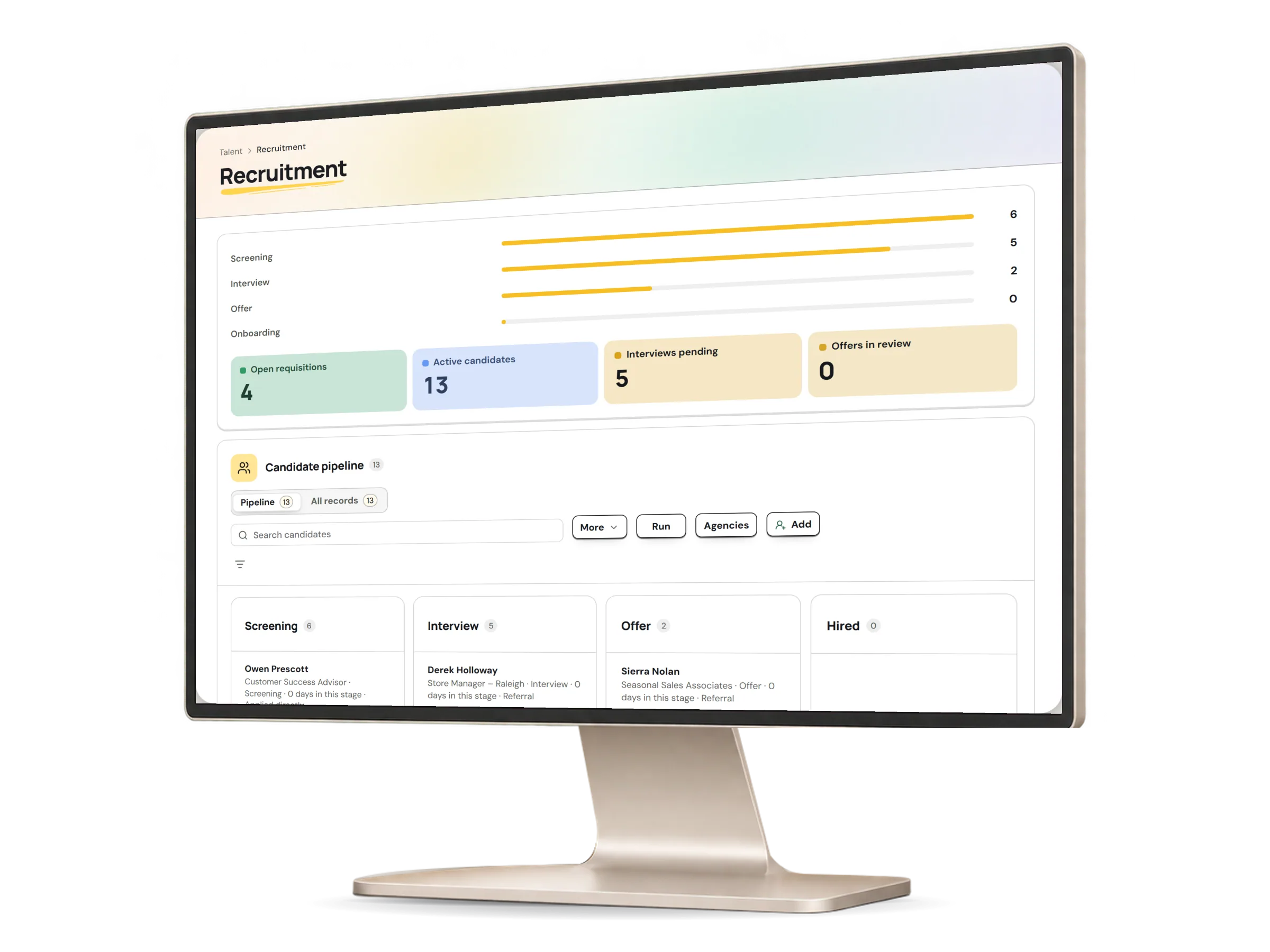
The recruitment screen shows each active candidate under their stage, beside requisitions, interviews and offers in review. Every stage move is a person's choice, and it is recorded.

Recruitment in HumaRun: active candidates under their stage beside requisitions, interviews and offers, with invented sample data.
A real HumaRun screen, shown with invented sample data.

A hiring path people stay in charge of.

People decide: HumaRun makes no hiring, pay, performance or employment decision.

  1. Agree the opening

    The requisition records who is hiring and for how many, and its approval is recorded with the person and the date.

  2. Review candidates

    Interview notes and outcomes sit with the candidate, and each stage move is recorded.

  3. Prepare the offer

    A versioned offer is approved by someone other than its preparer, and the candidate's answer is recorded by a person.

  4. Start onboarding

    An accepted offer can be converted into a Core HR worker and handed to onboarding after authorized review.

What this module covers.

What works today, and the controls that come with it.

Included

  • Requisitions with configured approval and history
  • Candidates with recorded consent, sources and retention controls
  • Talent pools of candidates whose consent is recorded
  • Applications moved by phase: screening, interview, offer and onboarding
  • Screening questions on each requisition, with answers kept for the people reviewing the application and never scored or used to filter
  • Interview panels with structured, human-entered scorecards
  • Assessments from your own versioned question sets
  • Versioned offers with the candidate's answer recorded
  • Conversion into a worker and onboarding handoff
  • An agency portal: each agency submits candidates to the jobs you assign it through its own link and sees only its own candidates' status; the first introduction keeps the ownership for the period you set
  • A candidate status page from a link you share, showing the job, one plain status and upcoming interview times
  • A configurable pipeline board for each job, with bulk actions on up to 100 applications, tags and your own rejection reasons
  • A versioned job description library
  • A hosted careers site at /careers/<your handle> for a production workspace, with the postings you publish
  • A CV on the careers form, asked for only when your CV setting says so and scanned before anything is kept
  • Interview self-scheduling from a one-time link that leaves out any time an interviewer's connected Microsoft 365 or Google calendar shows as busy, with reminders for the panel the day before and an hour before
  • Employee referrals and internal applications
  • A purpose and keep-for period for each talent pool, and your own candidate retention policy
  • CV suggestions read from the file's own text, checked by a person before anything changes
  • Candidate email from your own versioned templates, with an unsubscribe link and one-click unsubscribe on every talent pool news message
  • Nurture sequences that send a talent pool your own news step by step, on the lawful basis you record
  • A Company Chat video meeting for the interviewers on each interview, with the candidate joining through the interview's meeting link or place
  • Google for Jobs markup on each posting page you opt in, and an Indeed job feed of your live postings that you give to Indeed from your own Indeed account
  • A Microsoft Teams, Google Meet or Zoom link on an interview, created on the host's own connected Microsoft 365, Google or Zoom account

Controls built in

  • Each offer approved by someone other than the person who prepared it
  • Each assessment reviewer answers alone, sees no other answers until submitting, and never reviews a candidate they referred
  • Candidate consent, which is checked again just before each email is sent, so mail to anyone who withdrew consent or asked not to be contacted is cancelled
  • A candidate status page that never shows notes, scores or names
  • Screening answers kept for the people reviewing the application, never scored or used to filter
  • People make every hiring decision