Organizations kept apart
Each organization's records are separate from every other organization's, and each person works within the records and actions of their role. Salary, bank details and restricted HR notes each need a permission of their own.
Keep each organization's records apart, give every person only the access their role needs, and see each security setting as it truly is.
What protects your organization's records, and how.
Each organization's records are separate from every other organization's, and each person works within the records and actions of their role. Salary, bank details and restricted HR notes each need a permission of their own.
Changes to records, approvals and payroll are kept with who made them and when, and people with the audit permission can export that history. The database itself refuses any edit or deletion of it.
Sign-in can ask for a code from an authenticator app, a session left unused for 30 minutes ends, and members can continue with Google or use single sign-on on your verified domains. With multi-factor sign-in on, payroll finalization, payroll payment approvals, exports of employee, report or audit data and changes to roles ask for a fresh code.
A person downloads their own data package and asks for corrections, consent is recorded for the purposes you define, a second reviewer applies an erasure under your organization's own retention rules, and privacy incidents are kept in a register with their deadlines.
The security overview shows each setting as it truly is and links to the page that changes it. Only people who manage the organization or its members can open it.
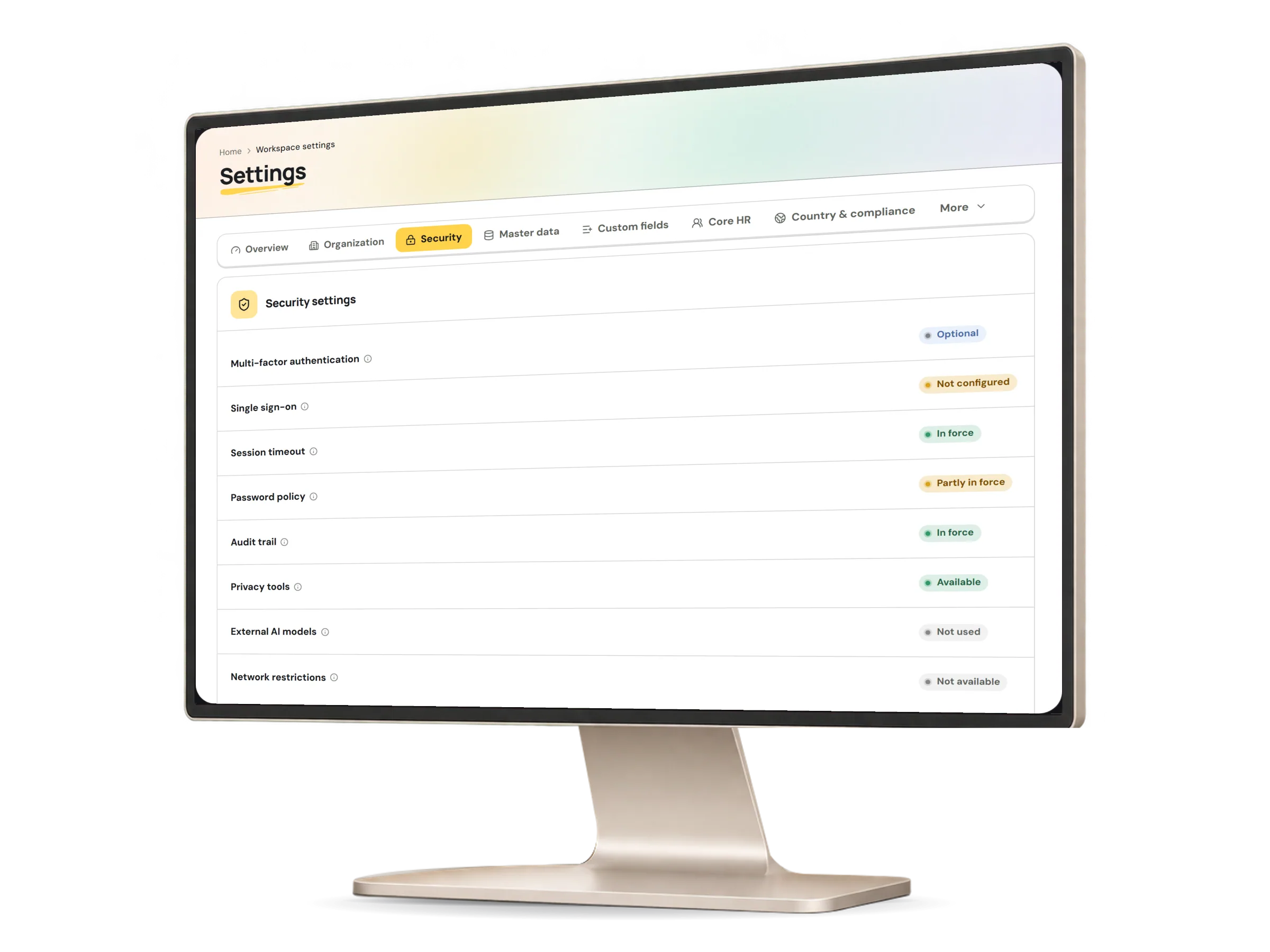
Each person looks after their own sign-in; every setting that reaches other people needs a permission of its own.
| EmployeeOwn account | AdministratorGranted permissions | Organization ownerWhole organization | |
|---|---|---|---|
| Protect their own sign-in | Allowed | Allowed | Allowed |
| See the security overview | Not allowed | Needs its own permission | Allowed |
| Change roles and member access | Not allowed | Needs its own permission | Allowed |
| Require multi-factor sign-in | Not allowed | Needs its own permission | Allowed |
| Set up single sign-on and SCIM | Not allowed | Needs its own permission | Allowed |
| Export the audit history | Not allowed | Needs its own permission | Allowed |
What works today, and the controls that come with it.
How records, sign-in and self-service rely on Security.
Roles decide whose employee records each person reaches, and every change to a record is kept in the audit history.
Explore moduleSingle sign-on connections, verified domains and SCIM tokens are set up from Integrations, and each connection is tested before it is switched on.
Explore moduleEach person sets up their own authenticator, sees their signed-in devices and signs out the ones they no longer use.
Explore moduleTell us how your team handles access in a free demo request.