HumaRun is loading.
Skip to content

Know who could step in, before a role is empty.

Name your critical roles, keep a slate of successors with their readiness, and see where cover is thin, with every choice made by people.

All modules
Bench strengthConcept · sample
Critical roles
73 high risk · 3 medium · 1 low
With ready-now cover
3of 7 roles

Coverage of the critical rolesRoles · sample figures

Sample figures, not a live screenConcept

Critical roles, covered with care.

Four ways to keep your critical roles covered.

  • Critical roles and slates

    Name the roles you cannot leave empty, how critical each one is and who holds it now. Each successor joins the slate with a readiness band and a reason a person wrote.

  • Readiness and coverage

    Readiness runs from ready now to three or more years, or emergency cover only. Each role's coverage and risk follow a stated rule: its confirmed successors, how critical it is and any expected vacancy.

  • A 9-box on the talent card

    A talent card places one person on the shared 9-box, from their latest released rating and a recorded potential, beside the slates they are on. On the talent card only succession readers see it, and never the person it places.

  • Risk, impact and talent pools

    Record how likely you are to lose someone and how much it would hurt, each with a reason, and group people in named talent pools. A pool decides nothing about pay, role or employment.

See where cover is thin, role by role.

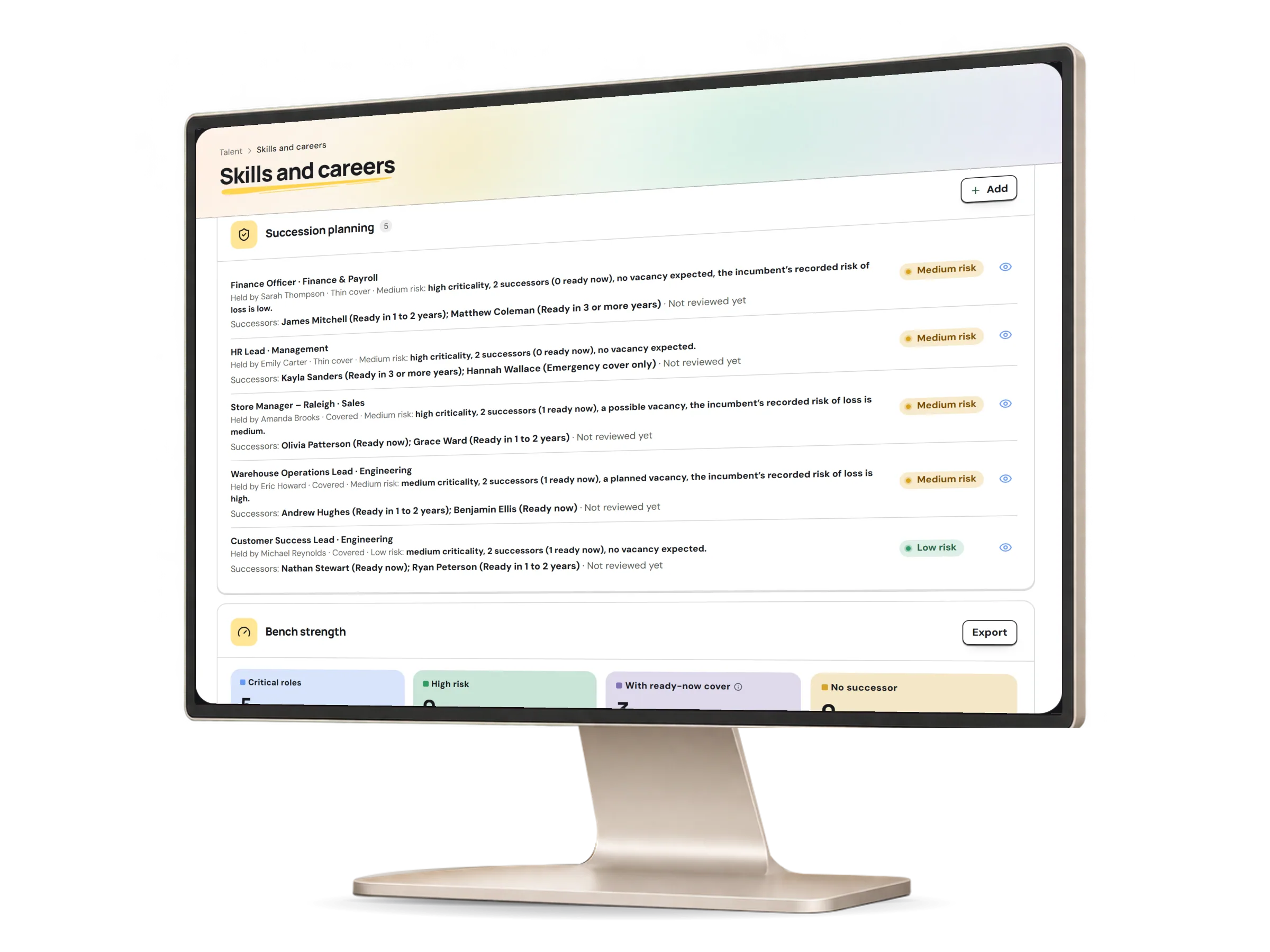
The bench-strength view counts your critical roles by coverage and risk, and how many have a successor ready now. Each count follows the rule shown on the role, and every export is audited.

Succession in HumaRun: critical roles counted by coverage and risk, with successors ready now, with invented sample data.
A real HumaRun screen, shown with invented sample data.

Sensitive by design, seen by few.

Succession data needs its own permissions: succession:read to see it and succession:manage to change it, across the whole organization. Nobody ever sees their own place on a slate. Sensitive-data or salary access alone never reaches it.

Succession dataWhat each role may do with itIllustrative
What an employee, a manager, a succession reader and a succession manager may do with succession data
EmployeeOwn recordManagerDirect reportsSuccession readerWhole organizationSuccession managerWhole organization
See critical roles, slates and coverageNot allowedNot allowedAllowedAllowed
Name successors and change readinessNot allowedNot allowedNot allowedAllowed
Export the bench-strength reportNot allowedNot allowedAllowedAllowed
See their own place on a slateNot allowedNot allowedNot allowedNot allowed

People decide. HumaRun shows the evidence.

A person chooses every successor; HumaRun never scores anyone.

What people decide

A person's decision
  • Who is named on a slate, each with a written reason
  • Each readiness band, and why it changed
  • Whether a proposed successor is confirmed or declined
  • Removing a successor or closing a critical role, with a reason
  • Development actions for a confirmed successor

What HumaRun shows

With its source
  • Each role's coverage and risk, with the rule behind them
  • Signals beside each successor, each with its source: skills against the role on validated evidence, the latest released review and experience
  • Proposed successors from validated skills, at most five at a time, each waiting for a person
  • A successor whose employment has ended, flagged and never counted as cover

What this module covers.

What works today, and the controls that come with it.

Included

  • Critical roles with their criticality, current holder and any expected vacancy
  • Successor slates with readiness bands and a written reason for each
  • Coverage and risk for every role, explained by a stated rule
  • The bench-strength view and its CSV or Excel export, audited on every download
  • Recorded slate reviews, saying whether the slate stayed as it was or changed
  • The shared 9-box on each talent card, from the latest released rating and a recorded potential
  • Risk and impact of loss with their reasons, kept as a history
  • An incumbent's recorded risk of loss counted in the role's risk
  • Talent pools with an owner, a purpose and criteria in words
  • Access through the two succession permissions alone, in existing organizations too
  • Review cycles with an owner, a due day, readiness ratings with evidence and reminders
  • Deciding successor proposals in the Decision Inbox

Controls built in

  • Every successor choice is a person's, and each signal shows its source, never a score or a ranking
  • A slate, a readiness rating or a talent pool never changes anyone's pay, role or employment
  • Nobody sees their own place on a slate, and talent pool members are never notified by HumaRun