HumaRun is loading.
Skip to content

Every HR request. With an owner.

Employees raise HR requests and follow them to an answer, while HR gives each case an owner, a priority and confidential handling where it is needed.

All modules
Case HR-4F2A9C1EConcept · sample case
Illustrative
  1. 09:12Case raisedPayroll · Normal priority
  2. 09:12Help article suggestedShown while the case was typed
  3. 09:13Routed to Pay questionsLeast loaded: 2 open cases assigned
  4. 11:40Internal note addedKept HR only
  5. 14:05ResolvedOne rating invitation sent
Sample figures, not a live screen

Give each case a clear path.

Keep the request and its handling in one place.

  • Routing groups

    Send each new case to an assignment group that picks a member in turn or by the fewest open cases, skipping anyone who is away, and records why.

  • Answers before a case

    Suggest published help articles while someone types a request, matched by keywords, and reply with canned responses that fill only approved fields.

  • Service calendars

    Count targets in working time on a service calendar, keep the service time that was left while a case waits on the employee, and escalate a missed target to the group's lead.

  • Confidential handling

    Keep notes and attachments HR only, so the requester sees only what is shared, and their own view leaves out routing and escalation details. Who reads a case follows each role's permissions and data scope. Files uploaded on a case are kept with it.

See the request. See the progress.

Every case keeps its history in order: who raised it, who took it, each reply, escalation and status change, and the resolution, with HR-only steps kept from the requester. An assignment log adds the group each case went to and why.

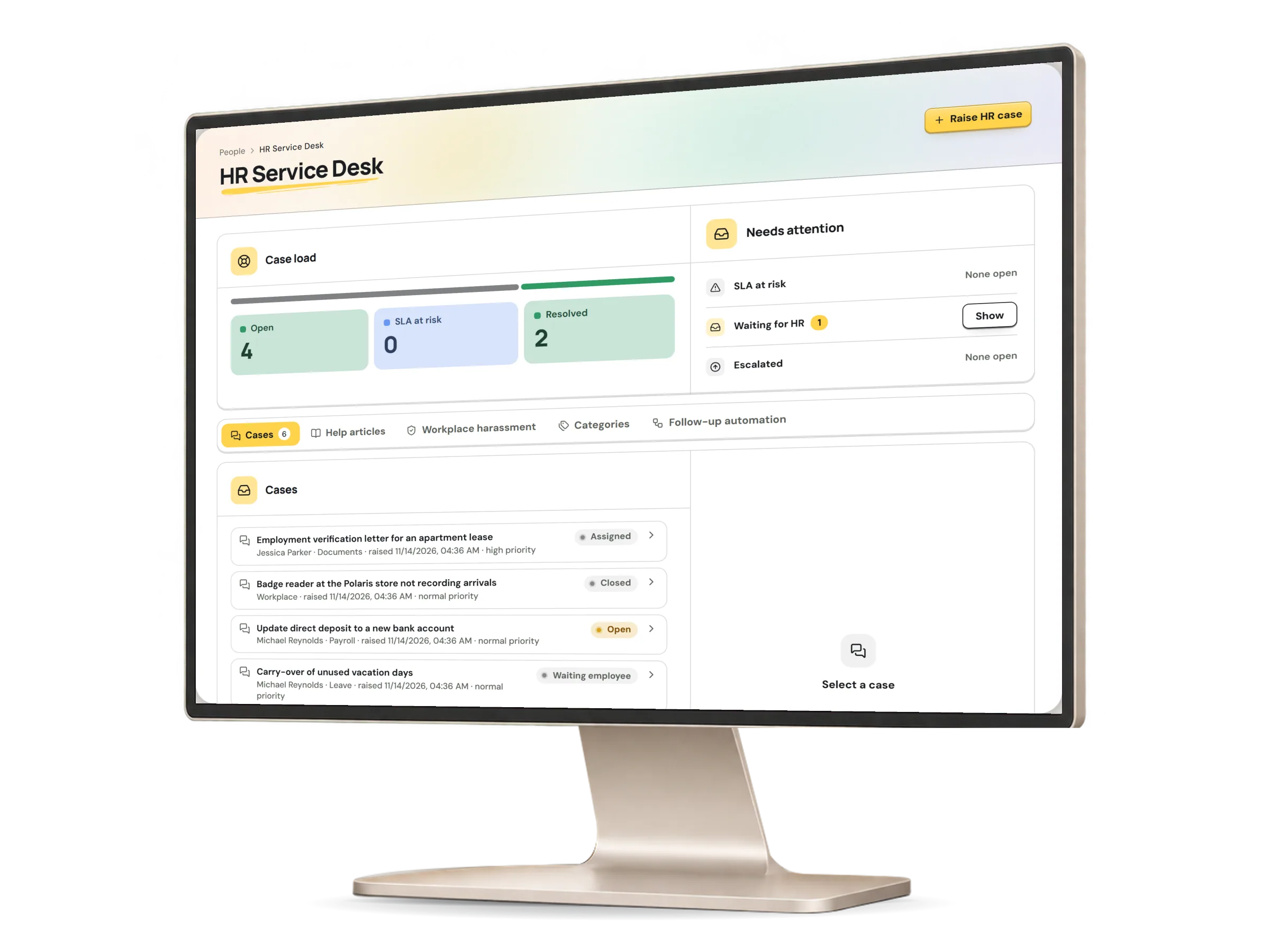
An HR case in HumaRun: the request and its progress, with invented sample data.
A real HumaRun screen, shown with invented sample data.

From the first question to the right person.

Each step is recorded, and the requester sees what is shared.

  1. Ask

    An employee raises a case in a category, or opens the leave, document, detail-change or expense page from the request catalog.

  2. Suggested article

    While the case is typed, published help articles the person may read are suggested, so a person whose question is answered need not raise one.

  3. Routed group

    The category's assignment group gives the case to an eligible member, never the requester, and the choice is logged.

  4. Resolved

    The owner replies, keeps internal notes HR only and resolves the case; a missed target is recorded, and a case can be reopened.

  5. One-time rating

    On its first resolution the requester is invited once to rate the case, and may answer anonymously.

What the desk covers today.

What works today, and the controls that come with it.

Included

  • HR cases in categories, each with a priority, an owner and a status the requester can follow
  • Response and resolution targets you set for each category, paused while a case waits on the employee, with a missed target recorded
  • Reopening a resolved or closed case, with a new resolution target
  • A request catalog that opens the leave, document, detail-change and expense pages, with no target of its own for any item
  • Subcategories that set a default priority and their own assignment group
  • Assignment groups that route each new case in turn or to the member with the fewest open cases, with a log of every choice
  • Help articles with versions and audiences, suggested while a case is typed and matched by keywords
  • Canned responses that fill only approved merge fields and are edited before they are sent
  • A one-time satisfaction rating when a case is first resolved; the requester may give it anonymously, and then the people handling the case see only the day it was given
  • Service calendars that count targets in working time, keeping the service time that was left while a case waits on the employee
  • Escalation of a missed target to the assignment group's lead
  • Reopening by the requester within the days a category allows, links between duplicate cases, and links to a published policy or announcement
  • Case and help-article reports of totals only, with ratings shown only in a summary of at least five answers
  • Files uploaded on a case by the requester or the people handling it, scanned before they are kept
  • Opening a linked employee document's file from the case

Controls built in

  • Replies and attachments shared with the requester or kept HR only, and HR-only history the requester never sees
  • Escalation to another person who can handle the case, with the reason kept HR only
  • An employee context panel for the people handling a case, each section shown only with its own permission
  • One of the employee's documents linked to a case, shared with the requester only when it is visible to them and not sensitive
  • An anonymous rating hides the rating and comment from the people handling the case and enters the summary only in groups of five, but a change in which cases a person can read can still hint at it