HumaRun is loading.
Skip to content

The right document. With the right access.

Keep employee documents, letters and renewal dates in one governed record, with access that follows each person's role.

All modules
Signature requestConcept · sample request
Illustrative
  1. 2 OctSent for signatureSigned in order, with an expiry date
  2. 2 Oct1. EmployeeAgreed to sign electronically, then typed a signature
  3. 3 Oct2. ManagerAgreed to sign electronically, then drew a signature
  4. 3 OctCompletion certificateFingerprints before and after signing
  5. 3 OctSigned copyKept as a new version of the document
Sample figures, not a live screen

Documents with a home, and a clear next step.

Each document stays with the record it belongs to.

  • Records and renewals

    Keep each person's documents on their record, with every version, and see what is expiring in time. The people who manage documents are told, and so is the employee for a document shared with them.

  • Letters with merge fields

    Write letters in your own words with merge fields, preview them, then generate one letter or a batch for up to 200 people. HumaRun adds no legal wording of its own.

  • Signing inside HumaRun

    Ask one to ten people in your organization to sign, in order or all at once, with a completion certificate and the signed copy kept as a new version.

  • Company library

    Publish policies and handbooks to everyone or to chosen departments, locations and roles, with versions and an acknowledgement for each version.

Who signs, and when, with proof at the end.

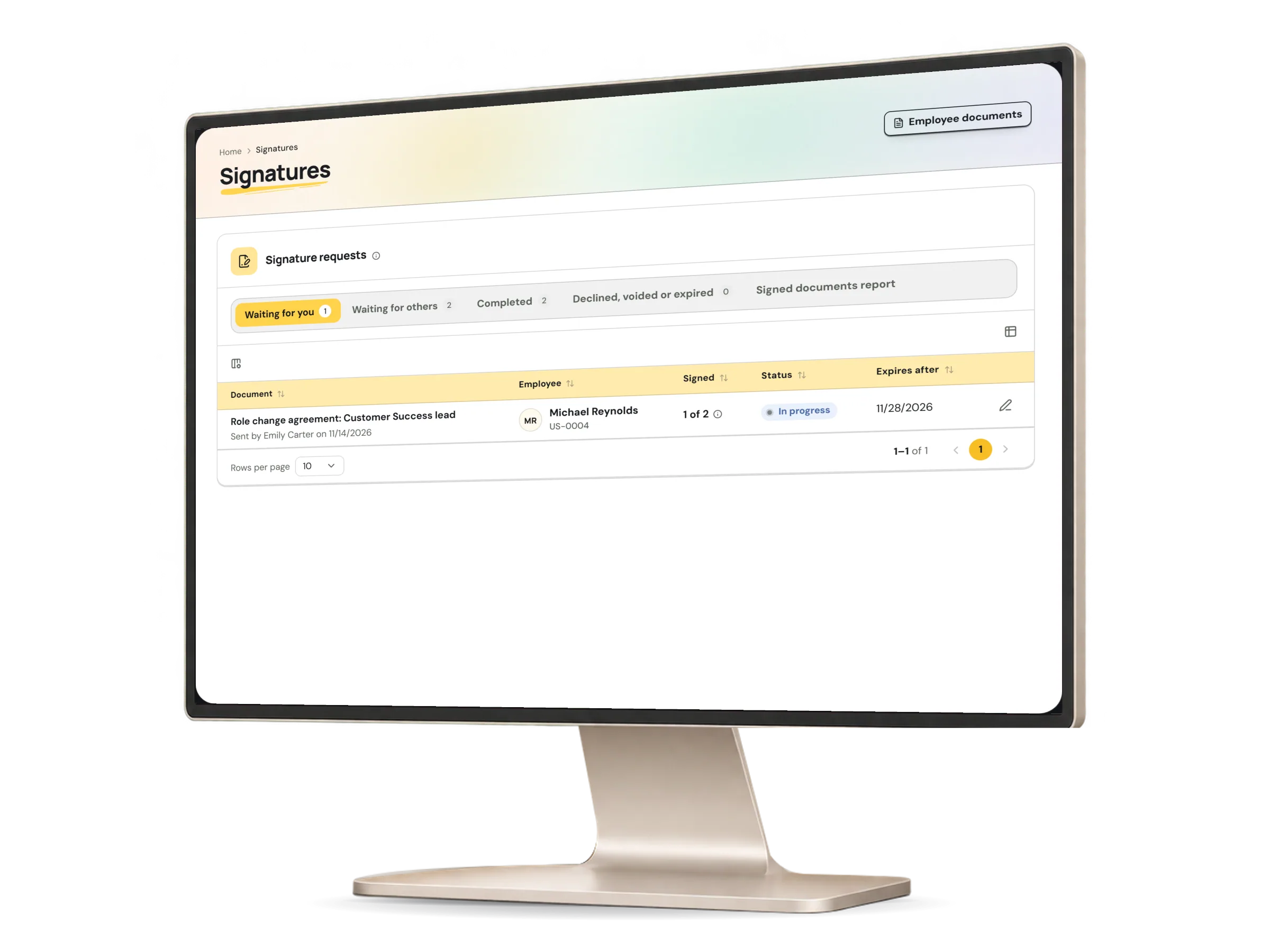
A signature request lists its signers in order, each with their role and the time they signed. When the last person signs, the signed copy and a completion certificate are added to the same document.

A signing request in HumaRun: who signs in which order, and the proof at the end, with invented sample data.
A real HumaRun screen, shown with invented sample data.

From draft to signed, every step recorded.

Four steps, each kept in the request's event trail.

  1. Prepare the request

    Choose a document whose type allows signing, add one to ten signers from your organization, sign in order or all at once, and set an expiry of up to 90 days.

  2. Sign in order

    On their turn, each signer agrees to sign electronically and types or draws their signature. A signer can decline, and the sender can void the request.

  3. Completion certificate

    When the last person signs, a certificate PDF lists the document's fingerprint before and after signing, each signer's evidence and the event trail.

  4. The signed version

    The signed copy is kept as a new version of the same document. The event trail is append-only, and no signing record can be deleted while your organization's account exists.

A simple e-signature, and what it records.

What a HumaRun signature is, and what it is not.

What it is

  • A simple electronic signature inside HumaRun, signed in order or in parallel, with a completion certificate and a signed copy
  • Each signer is signed in to HumaRun as an active member of your organization
  • Each signer's agreement to sign electronically is recorded with the version of the wording they accepted
  • The certificate carries the same statement of what the signature is

What it is not

  • It is a simple electronic signature, not an advanced or qualified one
  • Whether it has legal effect for a particular document or country is for your organization to check before relying on it
  • Signers are active members of your organization
  • HumaRun adds no legal wording of its own to a document or a letter

What this module covers.

What works today, and the controls that come with it.

Included

  • Employee documents on each person's record, with every version and access by role
  • Expiry dates with a notice window set for each document type, and notices in the app
  • Letter templates in your own words, with merge fields and a preview before anything is kept
  • Letters for one person or for up to 200 people at once, each generated and checked on its own
  • Renewal requests from HR for an expiring document, and correction requests from employees, each answered with a new version
  • Document files stored encrypted and opened only after a malware scan
  • Signing for one to ten people in your organization, in order or in parallel, with a typed or drawn signature
  • Declining, voiding and expiry of a signature request, with reminders in the app
  • A completion certificate PDF, and the signed copy kept as a new version
  • An optional fresh multi-factor check of every signer before they sign
  • Sending a letter for signature as soon as it is generated, one at a time or in a batch
  • Deciding letter requests in the Decision Inbox
  • A company library of policies, handbooks, forms and guides, published to everyone or to chosen departments, locations and roles
  • Library versions with read tracking and an acknowledgement for each version, asked again for a new version
  • Letter PDFs in Greek, Cyrillic, Chinese, Japanese and Korean, wherever the PDF fonts cover them
  • Signed copies and certificates in Greek, Cyrillic, Chinese, Japanese and Korean

Controls built in

  • Sensitive documents that need a permission of their own
  • Documents that reach the employee only when HR shares them, with an acknowledgement when one is asked for
  • Letter requests from employees, approved and fulfilled by HR, never by the person who asked
  • Letter template versions approved by someone other than their author, with letters generated only from the latest approved version
  • Each issued letter kept as a fixed version, so a later template change never rewrites it
  • A signing event trail that is append-only, with no signing record deleted while your organization's account exists